

Microsoft Power BI Course
Build job-ready Business Intelligence skills with hands-on Power BI training. Learn data transformation, data modeling, DAX, interactive dashboards, and real-world reporting through live weekend classes led by an industry expert.
- Duration: 2 Months
- Schedule: Saturday & Sunday
- Live Online Classes
- Certificate Included
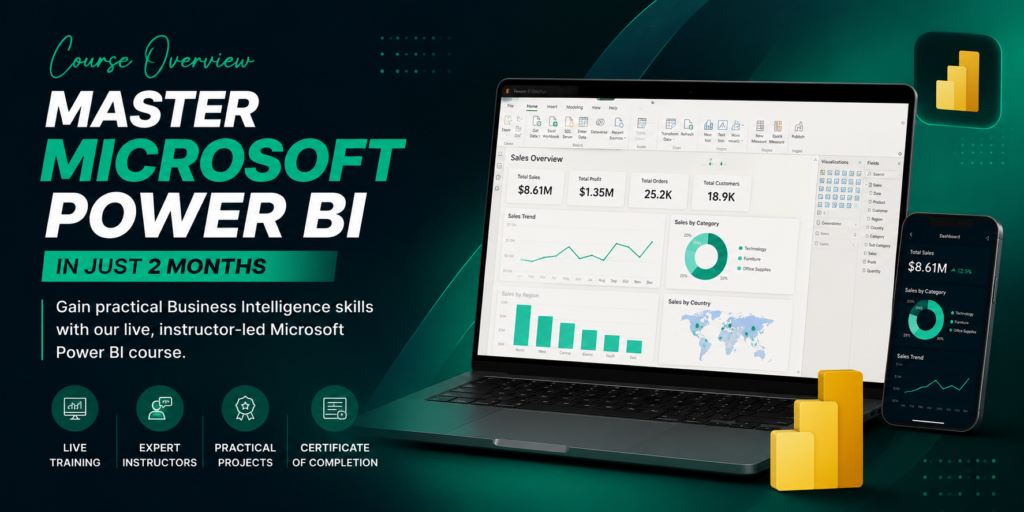
Course Overview
Turn Data into Actionable Insights with Our Power BI Course
In today’s business world, data has become one of the most valuable assets any organization can possess, and the ability to interpret it effectively is now a critical skill. Our Power BI course teaches you how to transform raw, scattered data into clear, actionable insights that drive smarter business decisions. As a leading Microsoft Power BI course, our program covers this widely sought-after business intelligence tool, helping organizations visualize trends, monitor performance, and make data-driven decisions with confidence. This course is designed for both complete beginners and working professionals looking to strengthen their analytical skill set. Through practical training and real business projects, you’ll learn to build powerful, interactive dashboards and reports that turn complex data into insights anyone can understand and act on.
Why Power BI Skills Are in High Demand Across Industries?
As businesses undergo digital transformation, the demand for skilled data analysts continues to grow rapidly across every sector. Business intelligence has become essential for organizations seeking to stay competitive, turning raw data into clear, visual insights that support faster, smarter decision-making. Power BI enables better decision-making through intuitive data visualization, helping teams identify trends and opportunities that would otherwise go unnoticed. As a result, professionals with strong Power BI skills are finding career opportunities across finance, marketing, healthcare, retail, and technology making this one of the most versatile and valuable skills in today’s job market.
Is This Power BI Course the Right Choice for You?
This course is ideal for students and beginners looking to enter the field of data analytics, as well as business professionals wanting to make smarter, data-driven decisions. It’s equally valuable for data analysts, accountants, and financial analysts seeking to strengthen their reporting capabilities. Marketing professionals can use Power BI to track campaign performance, while entrepreneurs can gain clearer visibility into their business metrics. This course also appeals to those exploring a Power BI data science course path, or simply anyone interested in data analytics who wants to turn numbers into meaningful, actionable insights.
What You'll Learn Throughout the Course?
Here’s our complete Power BI course outline, covering everything from the fundamentals to real business application:
Build a Strong Foundation in Business Intelligence
Get introduced to Power BI and core business intelligence concepts, along with data analytics fundamentals. Learn standard reporting workflows and how to plan effective, purpose-driven dashboards from the ground up.
Connect, Import, and Transform Data with Confidence
Learn to connect to multiple data sources and use Power Query to clean and prepare your data. Master essential data transformation techniques and basic data modeling to ensure accuracy and consistency.
Create Interactive Reports and Professional Dashboards
Learn to build engaging charts, graphs, and tables, along with KPIs that track key metrics. Master slicers and filters to add interactivity, and apply strong dashboard design principles for clarity and impact.
Master DAX for Powerful Data Analysis
Learn to create calculated columns and measures using DAX functions. Explore time intelligence functions and apply DAX to solve real business calculations with precision and confidence.
Build Data Models That Deliver Meaningful Insights
Understand how to create relationships between tables and apply star schema principles for efficient data modeling. Learn performance optimization techniques to keep your reports fast and reliable.
Publish, Share, and Collaborate Using Power BI Service
Learn to publish reports using Power BI Service, manage workspaces effectively, and share dashboards with stakeholders. Understand collaboration features and how to set up scheduled data refresh.
Develop a Professional Portfolio with Real Business Projects
Apply your skills through practical case studies and real business dashboards. Build a professional portfolio filled with interview-ready projects that demonstrate your analytical and technical capabilities to employers.
Industry-Standard Tools You'll Work With
Throughout this Power BI training course, you’ll gain hands-on experience with Microsoft Power BI Desktop and Power BI Service for building and publishing reports. You’ll master Power Query for data preparation and DAX for advanced calculations, alongside practical skills in Microsoft Excel. The course also introduces SQL basics for working with databases, along with an introduction to Microsoft Fabric. These tools reflect exactly what’s used in real business environments today, ensuring you’re equipped to work confidently in any data-driven organization from day one.
Everything You Need for a Successful Learning Journey
Our program includes live instructor-led classes paired with recorded sessions, so you never miss a lesson. Learning is reinforced through hands-on assignments and real-world business projects, supported by one-on-one mentoring throughout your journey. You’ll receive personalized career guidance along with dedicated portfolio support to showcase your growth. Upon completion, you’ll earn a certificate of completion, and our flexible schedules ensure the course fits comfortably into your routine. Students also gain access to lifetime learning resources, allowing you to revisit materials anytime.
Career Opportunities After Completing the Course
Graduates of this course can pursue a wide range of roles, including Power BI Developer, Data Analyst, and Business Intelligence Analyst. Other opportunities include working as a Reporting Analyst or Business Analyst, applying your skills to support strategic decision-making. Professionals with a finance background can specialize as a Financial Analyst, while creatively-minded analysts may thrive as a Dashboard Developer or Data Visualization Specialist. This course also prepares you for consulting roles such as a BI Consultant, or independent work as a Freelance Power BI Expert serving clients across industries.
Why Do Professionals Choose Our Power BI Course?
Searching for the best Power BI course? Our program is built on an industry-relevant curriculum taught by experienced trainers with real business intelligence expertise. We follow a practical learning approach reinforced by real business case studies and project-based training, ensuring every concept is grounded in real-world application. Our small class sizes allow for genuine personalized mentorship, while dedicated career support helps guide your next steps. With a transparent Power BI course fee and continuous learning assistance after completion, we’re committed to helping you succeed well beyond graduation.
Available Locations & Online Access
We proudly offer our Power BI course in Karachi, along with training for students across Pakistan. Prefer to learn remotely? Our Power BI online course delivers the same quality training as our in-person sessions, from anywhere in the world.
Start Your Data Analytics Journey with Power BI Today
Your future in data analytics starts now. With practical training and real career growth ahead, there’s no better time to master Power BI.
Enroll today or contact our team for more information and take the first step toward becoming a data-driven professional!
Week 1
- Introduction to Business Intelligence
- Power BI Installation & Interface
- Data Sources & Data Import
- Power Query Fundamentals
Week 2
- Data Cleaning & Transformation
- Query Editor Techniques
- Data Types & Relationships
- Data Refresh & Loading
Week 3
- Data Modeling Basics
- Relationship Management
- Star & Snowflake Schema
- Calculated Columns
Week 4
- DAX Fundamentals
- Measures & Functions
- Time Intelligence Basics
- KPI Calculations
Month 2
Week 1
- Charts & Visualizations
- Interactive Dashboards
- Slicers & Filters
- Drill Down & Drill Through
Week 2
- Report Design Best Practices
- Conditional Formatting
- Bookmarks & Navigation
- Dashboard Optimization
Week 3
- Real-World Business Dashboard
- Sales & Finance Analytics
- HR & Marketing Reports
- Performance Analysis
Week 4
- Capstone Power BI Project
- Report Publishing to Power BI Service
- Sharing & Collaboration
- Portfolio Development & Certificate Preparation
🎯 Skills You'll Gain
- Microsoft Power BI Fundamentals
- Business Intelligence Concepts
- Data Import & Data Transformation
- Power Query (ETL)
- Data Cleaning & Preparation
- Data Modeling
- DAX (Data Analysis Expressions)
- Interactive Dashboard Development
- Data Visualization Best Practices
- KPI & Business Reporting
- Power BI Service
- Report Publishing & Sharing
🛠 Tools You'll Use
- Microsoft Power BI Desktop
- Power BI Service
- Power Query Editor
- DAX Studio (Introduction)
- Microsoft Excel
- SQL Server (Basics)
- CSV & Excel Data Sources
- Microsoft SQL Server Management Studio (SSMS)
- Power BI Mobile
- Microsoft OneDrive
- SharePoint Integration
- GitHub (Project Sharing)
📂 Real Projects
During this course you’ll build:
📊 Sales Performance Dashboard
💰 Financial Analysis Dashboard
👥 HR Analytics Dashboard
📦 Inventory Management Dashboard
🛒 Retail Sales Dashboard
📈 Marketing Performance Dashboard
🏥 Healthcare Analytics Dashboard
🚀 Executive Business Dashboard (Capstone Project)
🎁 Course Includes
✅ Live Weekend Classes
✅ Lifetime Class Recordings
✅ Hands-on Assignments
✅ Practice Datasets
✅ Real Business Case Studies
✅ Downloadable Resources
✅ WhatsApp Community Support
✅ Course Completion Certificate
✅ Portfolio Project Guidance
✅ Interview Preparation
✅ Resume & LinkedIn Profile Guidance
✅ Career Support & Job Assistance
Career Opportunities
Build a Career in Business Intelligence & Data Analytics
Complete this Microsoft Power BI course and gain the practical skills required to work with data, create interactive dashboards, and deliver actionable business insights across different industries.
💼 Career Opportunities
- Power BI Developer
- Business Intelligence (BI) Analyst
- Data Analyst
- Reporting Analyst
- Business Analyst
- Junior Full Stack Developer
🎓 Who Can Join?
- Students
- Freelancers
- Business Owners
- Job Seekers
- Beginners
- Anyone Interested in Website Development
With the knowledge and practical experience gained from this course, you’ll be well-equipped to work with startups, software houses, digital agencies, international clients, or launch your own freelancing career on platforms like Fiverr and Upwork.
Career Opportunities
Build a Successful Career in Data Analytics & Business Intelligence
After successfully completing this course, you’ll have the practical skills and confidence to start your career in the rapidly growing field of Data Analytics and Business Intelligence. Whether you’re aiming for a full-time job, freelance projects, or helping businesses make data-driven decisions, this course prepares you with industry-relevant Power BI skills.
You’ll gain hands-on experience by working on real-world datasets, building interactive dashboards, creating professional reports, and mastering the tools that companies use to analyze and visualize business data.
Ali Raza
Business Intelligence Student
Muhammad Hamza
Fatima Noor
Hassan Ahmed
Sara Malik
PKR 30,000 PKR 50000
Start your journey to become a Professional Microsoft Power BI course in just 2 months.
📊 Course Level
Beginner to Intermediate
👨🎓 Total Enrolled
⏱️ Course Duration
2 Months (Weekend Classes)
Saturday & Sunday
👨🏫 Meet Your Instructor

5+ Years Experience
Abdul Mannan
Microsoft Power BI Expert
Learn Microsoft Power BI from an experienced Business Intelligence and Data Analytics professional with 6+ years of industry experience. Abdul Mannan has worked on dashboard development, data visualization, report automation, and business intelligence solutions for various organizations.
📜 Certificate
Receive an official Kaarwan.pk Course Completion Certificate after successfully completing the course and final project.
Frequently Asked Questions
Do I need prior experience to join this course?
No. This course is designed for beginners. You don’t need any prior experience in Microsoft Power BI or Data Analytics. We’ll start from the basics and gradually move toward advanced concepts using practical examples and real-world projects.
Can I start freelancing after this course?
Yes. After completing the course and practicing the projects, you’ll have the skills to create professional dashboards, reports, and data visualizations. These skills can help you start freelancing and work with clients worldwide.
What will I learn in the Microsoft Power BI Course?
You’ll learn Power BI from scratch, including Data Import, Power Query, Data Modeling, DAX Fundamentals, Dashboard Design, Data Visualization, Report Creation, and publishing interactive reports using real business datasets.
Do I need a laptop for this course?
Yes. A Windows laptop or desktop with a stable internet connection is recommended so you can install Microsoft Power BI Desktop and complete all practical exercises during the live sessions.
Is this course suitable for beginners?
Absolutely! This course is beginner-friendly and follows a step-by-step learning approach. Even if you have no technical background, you’ll be able to understand and build professional Power BI dashboards.
Will I get a certificate after completing the course?
Yes. After successfully completing the course and final project, you’ll receive an official Kaarwan.pk Course Completion Certificate that you can add to your CV, LinkedIn profile, and professional portfolio.
Will I work on practical projects?
Yes. Practical learning is a key part of this course. You’ll work on real-world business datasets, build interactive dashboards, automate reports, and complete hands-on assignments to strengthen your skills.
What career opportunities will I have after this course?
After completing the course, you can apply for roles such as Power BI Developer, Data Analyst, Business Intelligence (BI) Analyst, Reporting Analyst, MIS Executive, and Data Visualization Specialist. You’ll also have the skills needed to work as a freelance Power BI professional.
What software will I use during the course?
You’ll primarily use Microsoft Power BI Desktop along with Power Query and DAX. You’ll also learn how to connect Power BI with Excel and different data sources to create professional reports and dashboards.
Will I get recordings if I miss a live class?
Yes. If you miss a live session, recorded lectures will be available so you can catch up at your own pace and continue learning without missing important topics.
Start Your Data Analytics Journey with Kaarwan.pk
Learn to Build Professional Power BI Dashboards!
Ali Raza
Business Intelligence Student
Muhammad Hamza
Fatima Noor
Hassan Ahmed
Sara Malik
Enroll in Our Courses
Start your learning journey with industry-relevant skills designed to boost your career.
Fill out the form to get course details, fee structure, and guidance from our team. We will help you choose the right course based on your goals and experience level.